For the past few weeks, I’ve been using Herdr as my daily terminal multiplexer. I started using it because managing several coding agents across different terminal windows was becoming difficult: I was constantly switching between sessions to see which agents were working, finished, or waiting for me. Herdr brings those sessions together in one place.
Herdr is built with coding agents in mind. Like tmux, it organizes terminal sessions into workspaces, tabs, and panes while keeping their processes running when I disconnect. What makes it different is its awareness of coding agents: it shows whether each agent is working, finished, idle, or waiting for my input.
How I use Herdr
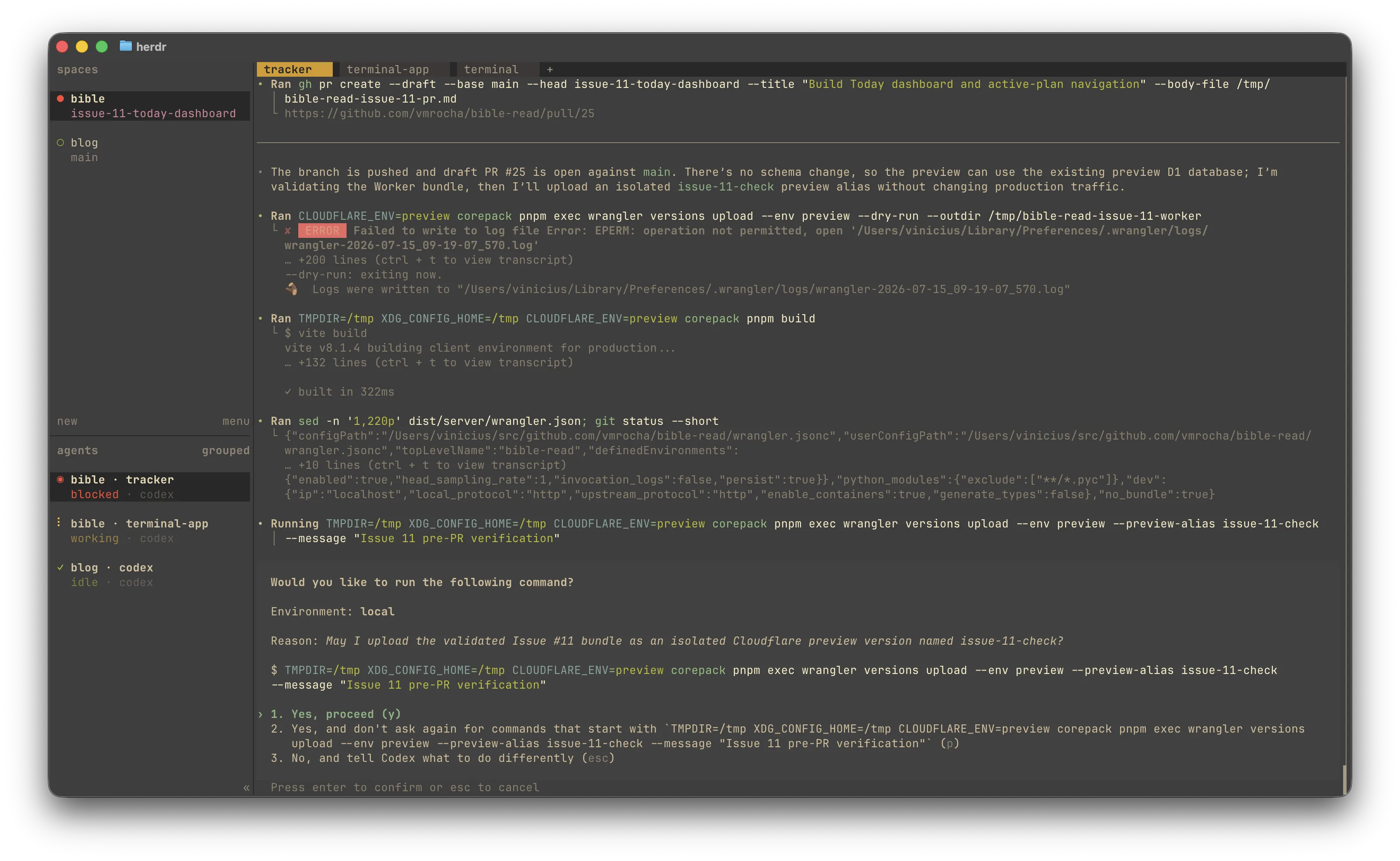
I organize my work into spaces, with one for each project. Inside them, I can run several Codex sessions in separate tabs and panes. The agent list in the sidebar gives me an overview of everything that is happening. In the screenshot below, one agent is blocked and waiting for my approval, another is still working, and the agent for this blog is idle. Instead of checking every terminal individually, I can immediately see which one needs my attention.
What I like about it
One of the things I like most about Herdr is how mouse-friendly it is. I didn’t need to learn a long list of shortcuts before I could start using it. Its interface is approachable: I can click between spaces, tabs, panes, and agents, and use the menus to manage my workspace.
At the same time, Herdr does not limit me to the mouse. Everything is also available through keyboard shortcuts, so I can learn them gradually and become faster as I get more comfortable with the tool.
Final thoughts
Herdr has made it easier for me to manage multiple coding agents without giving up the terminal workflow I already enjoy. I can start with the mouse, learn shortcuts as I go, and quickly see which agent needs my attention. If you work with several terminal-based coding agents but find traditional multiplexers difficult to approach, Herdr is worth trying.